Unity / Analytics Tooling / ML-Agents

In-Engine Analytics Tools

A custom analytics and visualization layer built inside a Minesweeper Unity game, connecting simulated players, game events, SQL storage and Python analysis.

SQL Python PHP Backend Flask Backend Unity ML-Agents
Minesweeper analytics overview

Project Overview

This project focuses on the development of custom data analysis and visualization tools within Unity for my Minesweeper game.

The goal was to record gameplay behavior, transform it into analyzable data, and make the results visible directly in-engine and through Python analysis.
Heatmap Visualization

Heatmaps make spatial player behavior visible by showing which cells are interacted with most frequently across games and simulated sessions.

Click Trails

Click trails reconstruct player decisions over time, making it easier to inspect movement, spacing and decision sequences inside the board.

Exploratory Analysis

Exploratory visualizations were used to inspect patterns in playtime, clicking behavior, success, board coverage and performance differences.

Group Comparison

Group comparison views help compare outcomes across simulated player types and identify meaningful differences in performance and behavior.

Regression Analysis

Regression analysis was used to connect gameplay variables with outcome metrics and inspect which behaviors were most predictive.

ML-Agents Simulation

ML-Agents Simulation

Simulated players were created with neural networks to generate gameplay sessions and produce enough behavioral data for analysis.

ML-Agents Simulation

The simulation loop sends gameplay events through the backend so that each episode can become part of the analytics pipeline.

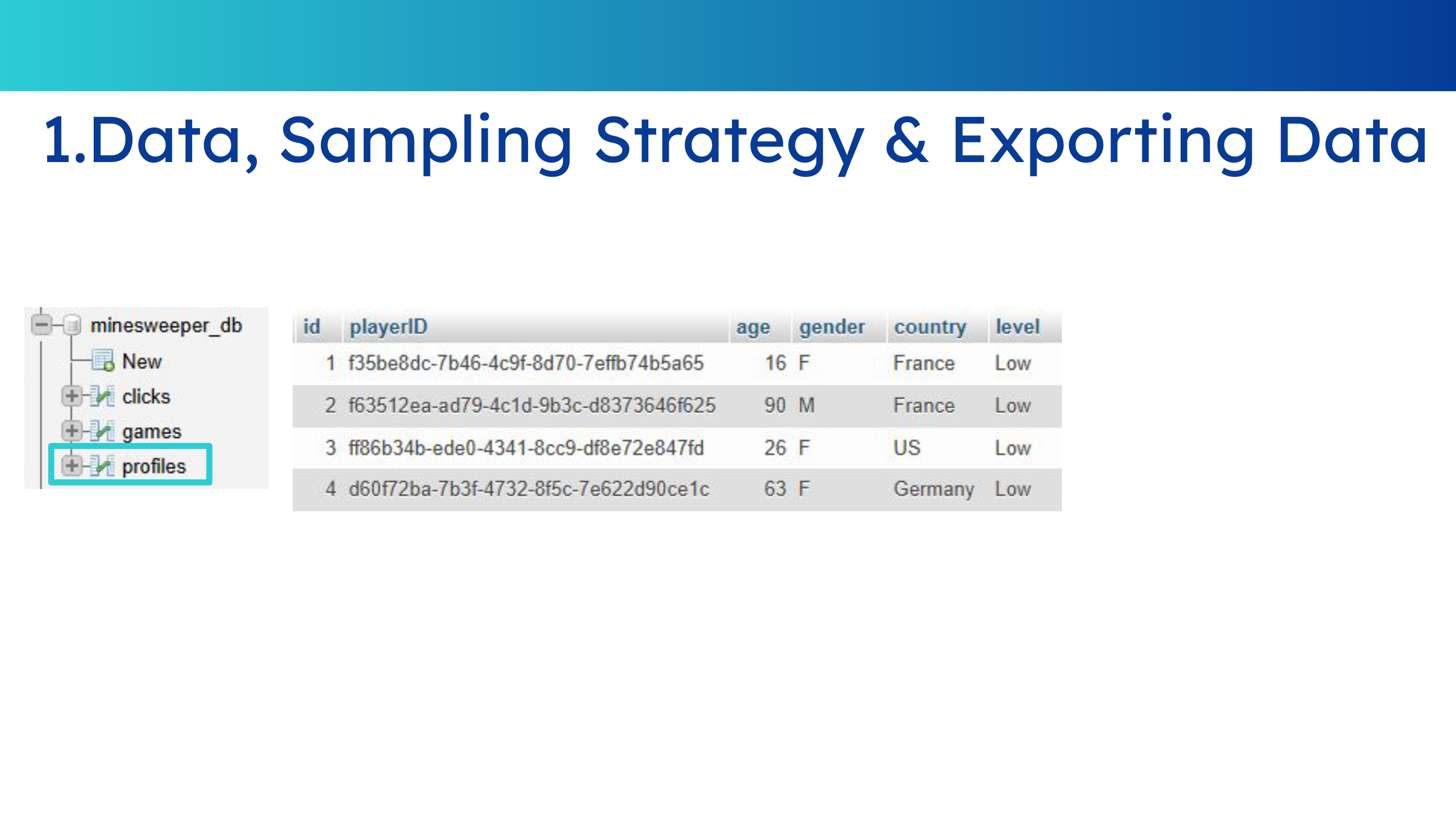
Profiles Table

Profiles Table

The profiles table stores player-level information so each simulated or real user can be connected to the games and clicks they generate.

Games Table

Games Table

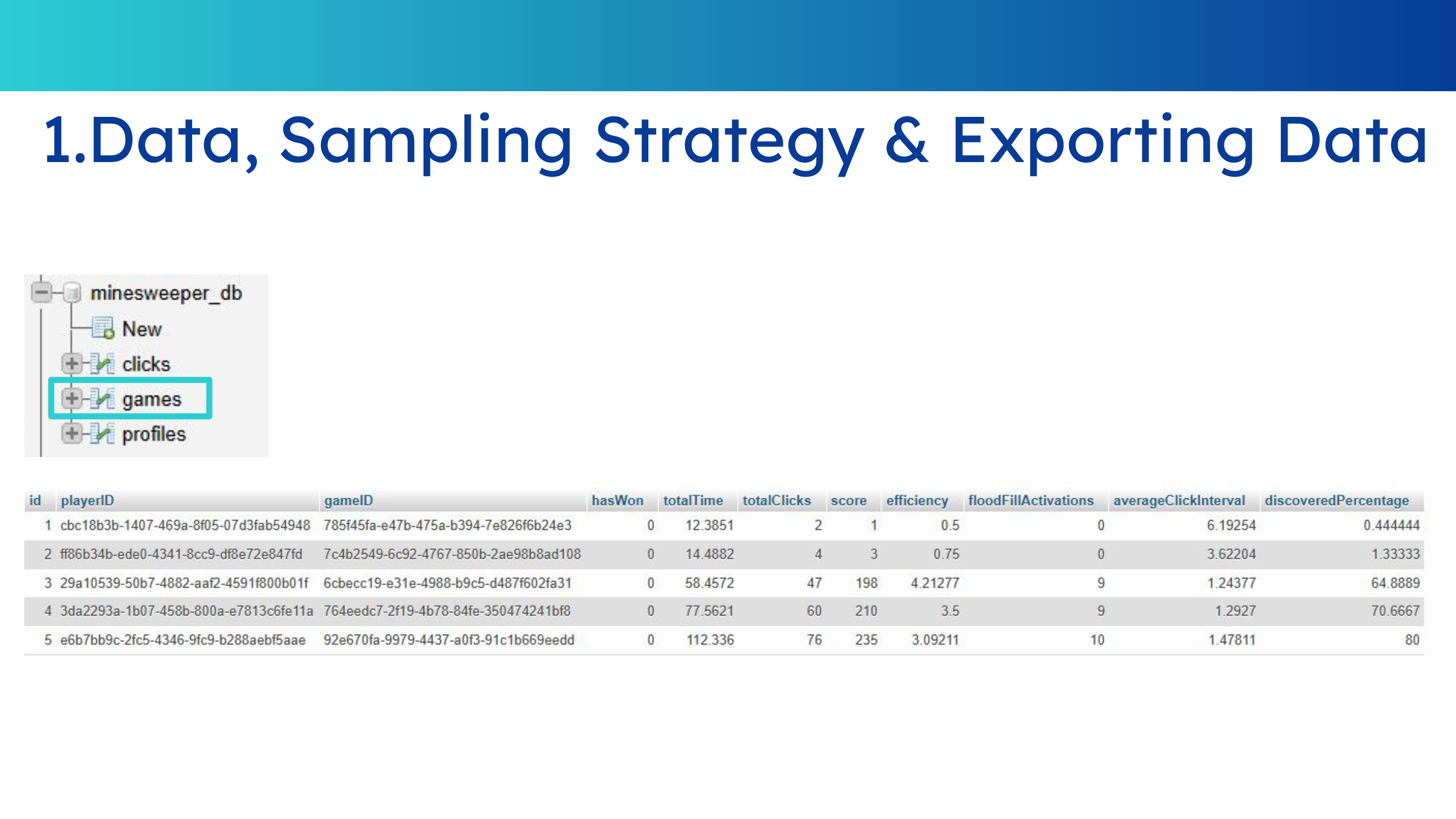
The games table stores whether the player won or lost, total playtime, number of clicks, score, efficiency, FloodFill activations, average time between clicks and percentage of the board uncovered.

This data is sent to the server at the end of each ML-Agent episode.

Clicks Table

Clicks Table

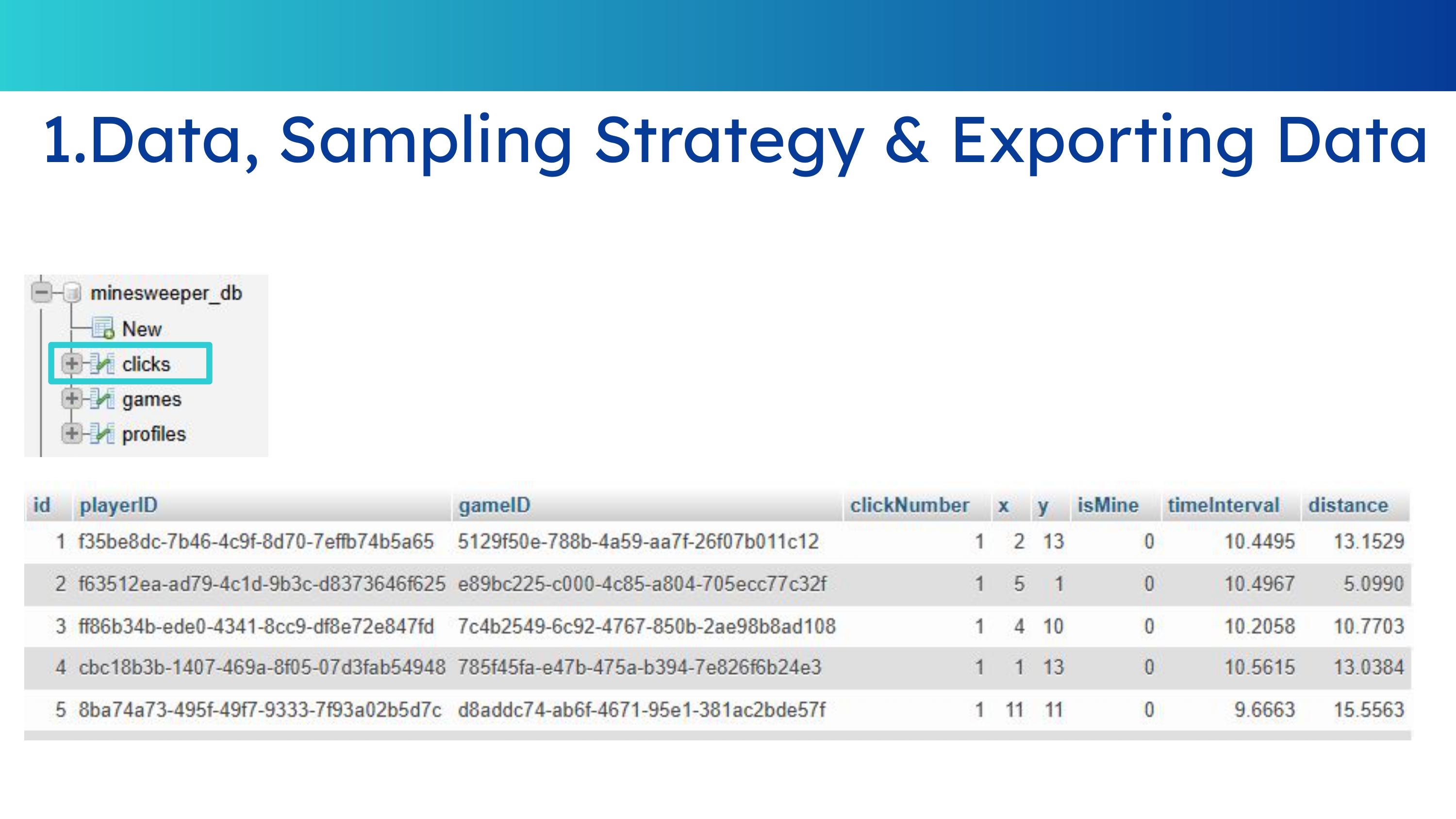
The clicks table records player ID, game ID, click number, click coordinates, mine outcome, distance from previous click and elapsed time since the last click.

This information is recorded every time the ML-Agent clicks a cell.

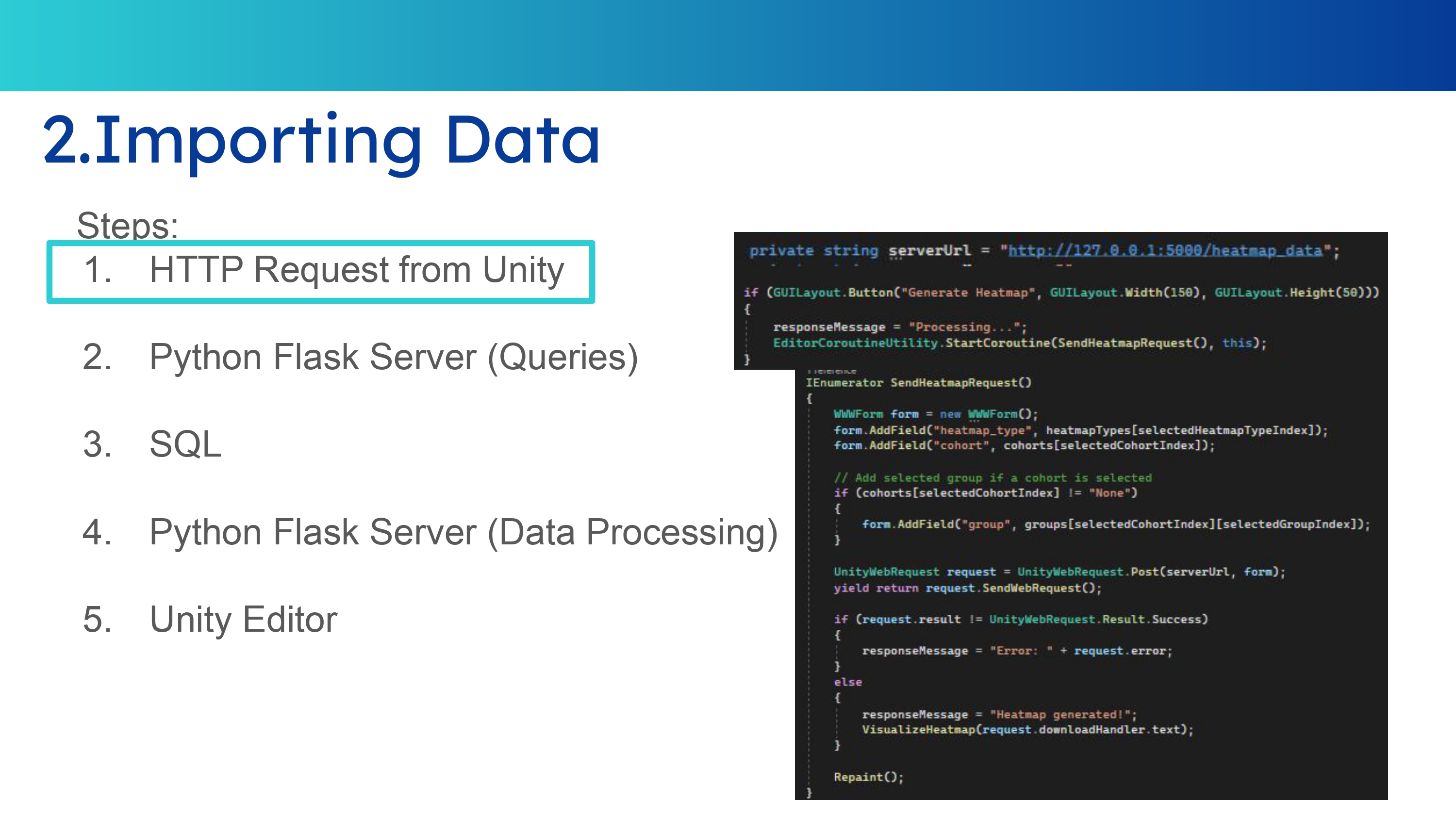
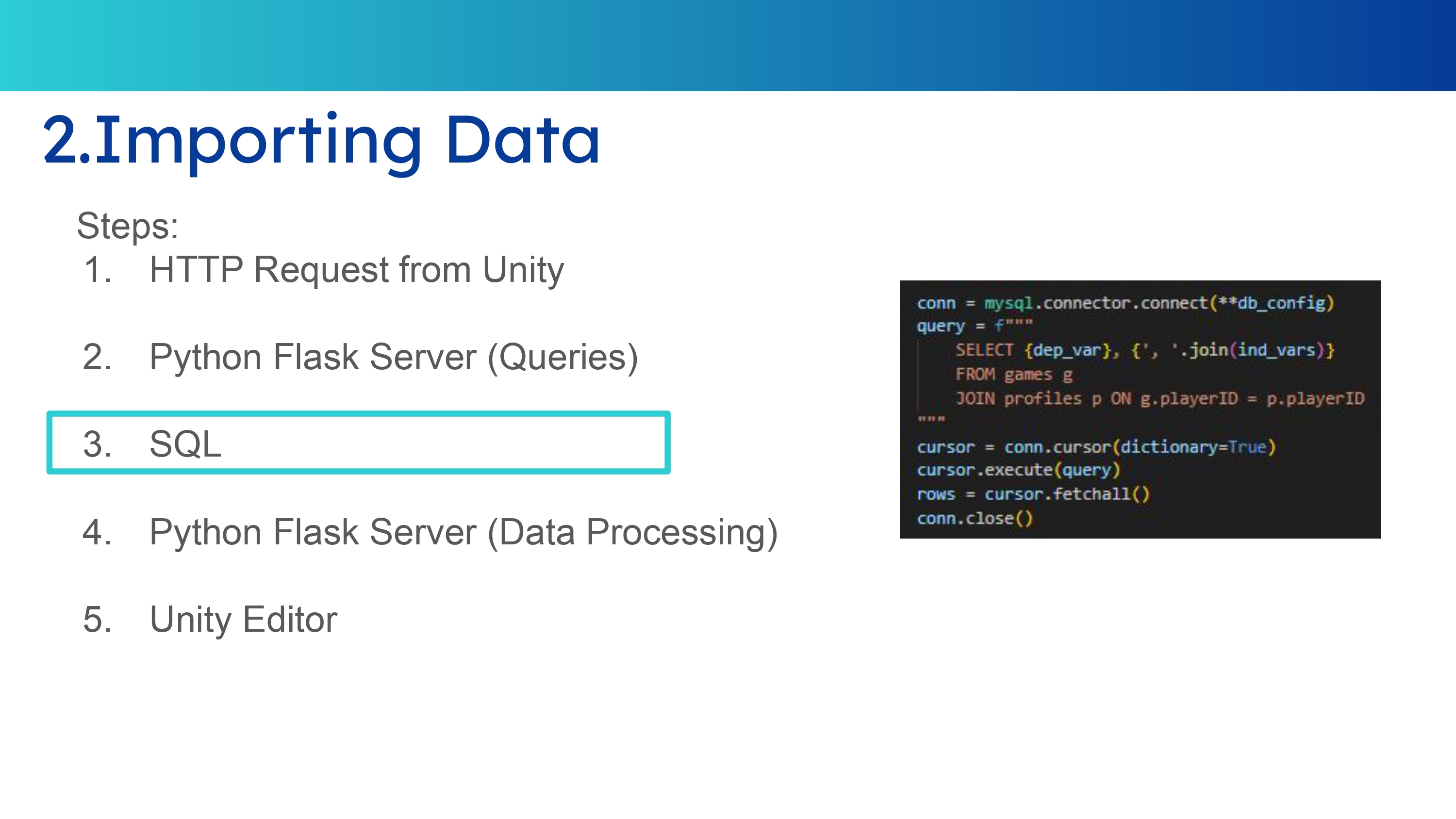
Data Import Process

Data Import Process

Gameplay data is imported from the database into the analysis environment so Python can process it and generate behavioral summaries.

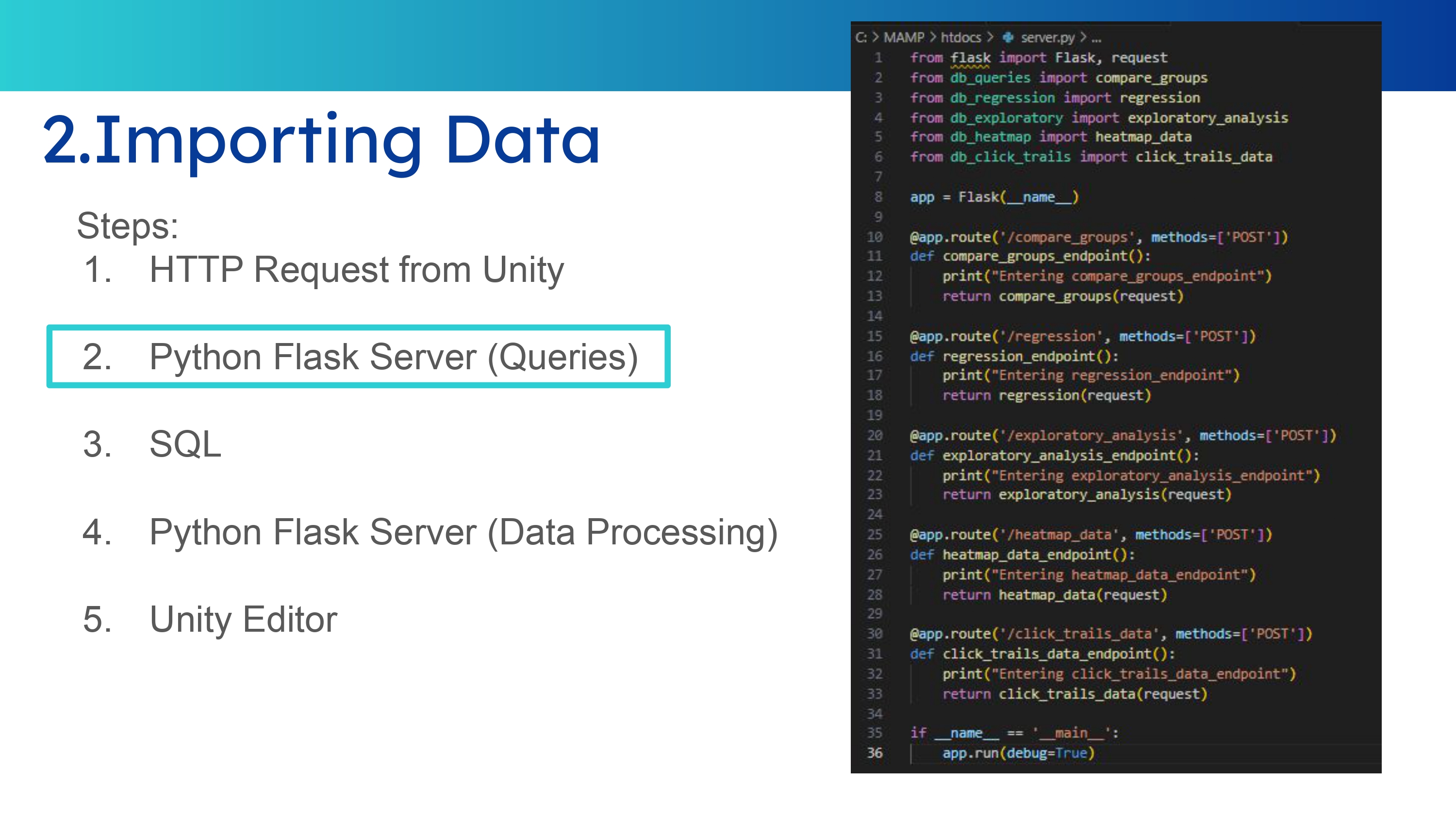
Flask Middleware

Flask Middleware

A Flask middleware layer connects the data source and the Python processing scripts, making the analytics workflow easier to run and inspect.

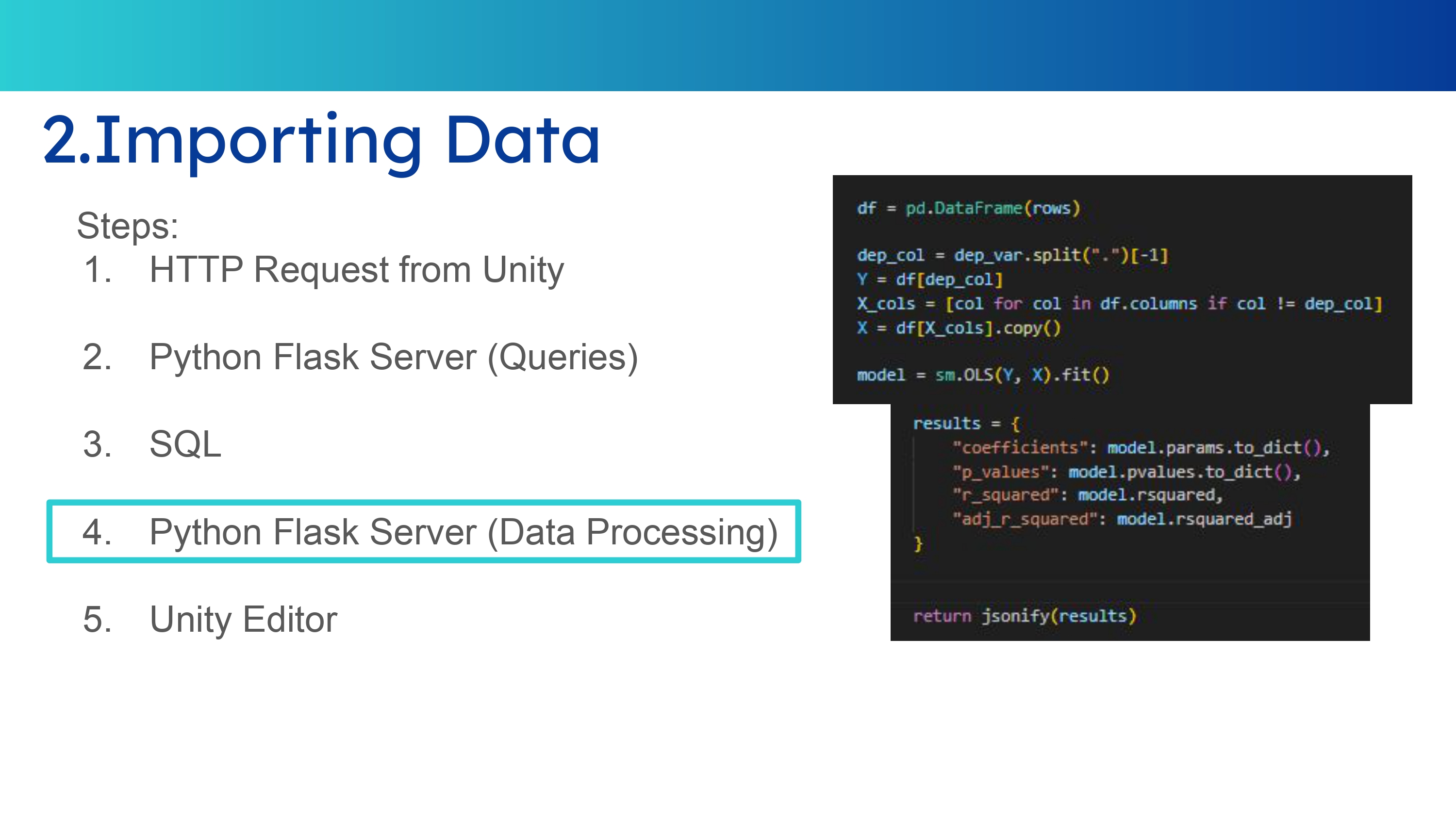
Data Processing

Data Processing

Python libraries process the raw gameplay records into derived metrics, comparisons and visualizations.

Flask Processing Data

Data Processing and Integration

After fetching the data, the Flask server processes it using Python libraries to generate the analysis outputs used by the project.